

J-PAS GitLab Registration Instructions
These are the instructions for registering for a J-PAS GitLab account and accessing the GitLab platform.
Step 1. Complete the registration form
Please download and fill in the registration form available here: https://www.cefca.es/nextcloud/index.php/s/rWD5aHxfNRtzNLB
It is needed in order to get the information to technically create the account, to set the needed privacy policies of the data you are providing us in the form itself, and for getting your commitment to an appropriate use of the service (i.e. no illegal content will be uploaded there and other basic rules). You can follow the links in the form for further info on that regard.
J-PAS SPECIFIC INFORMATION
When completing the form, please use the following information:
- Project(s) you are contributing to: J-PAS
- Position/Role: Your current role (for example: Researcher, PhD Student, Postdoctoral Researcher, etc.).
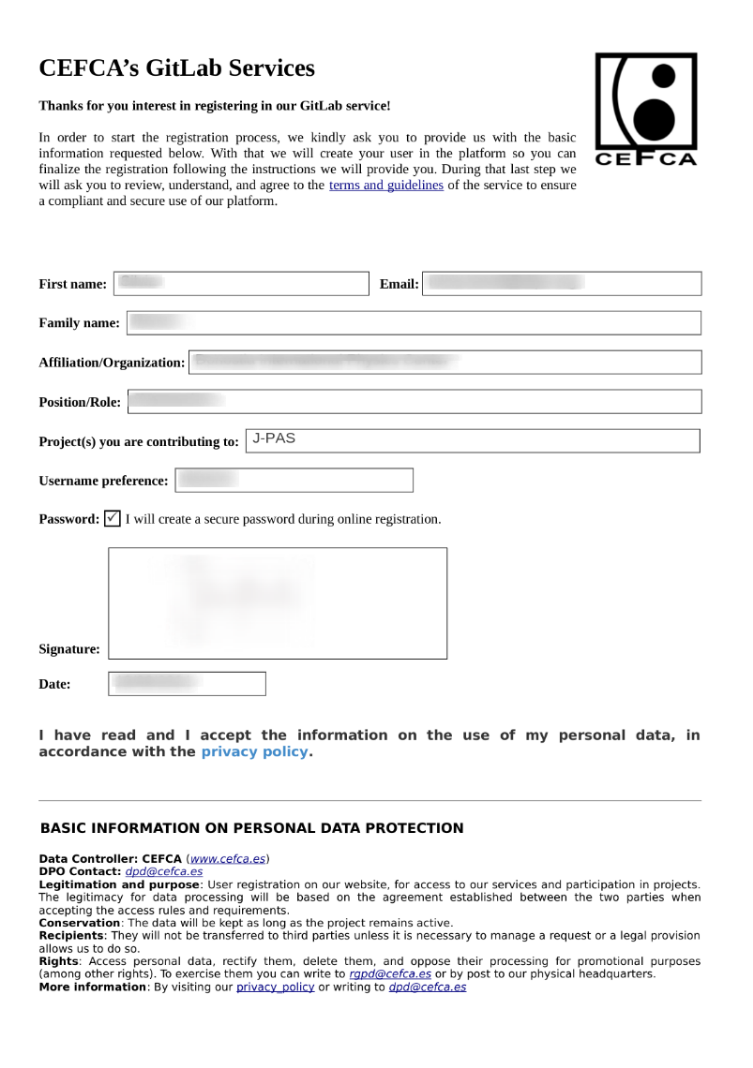
Figure 1. Gitlab registration form
Step 2. Submit the completed form
Once you have completed and signed the form, send it by email to: hvr@cefca.es
Step 3. Wait for your account to be created
Your request will be processed and your GitLab account will be created. You will receive a notification once the account is ready.
Step 4. Access GitLab
Once your account has been created, access GitLab at: https://gitlab.cefca.es/
When signing in, select Standard user.
Important: Do not choose CEFCA unless you are a member of the CEFCA staff. CEFCA personnel authenticate through a different identity management system.
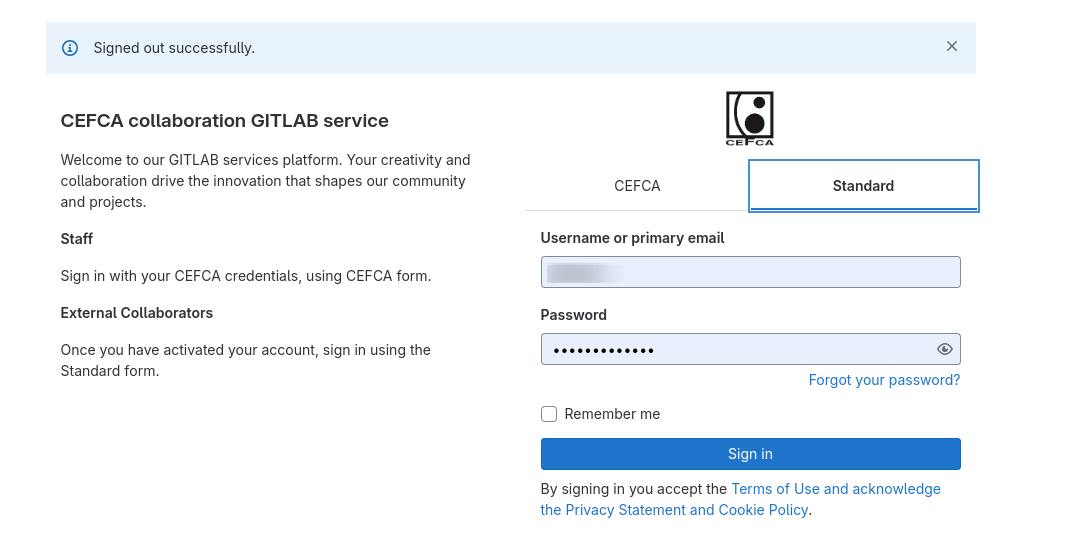
Figure 2. Gitlab access